
MxScan AntiSpam and AntiVirus Suite was developed by mxuptime as an add-on for the MailEnable mail server. The original article describes Lite and Professional editions, with Lite offered free of charge, and focuses on the Lite edition.
The source download address was http://www.mxuptime.com/download.aspx. After installing the Lite version on a MailEnable server, launch the application and choose “Use Freeware Lite Edition”. This is an archived procedure, not confirmation that this download or edition remains available.

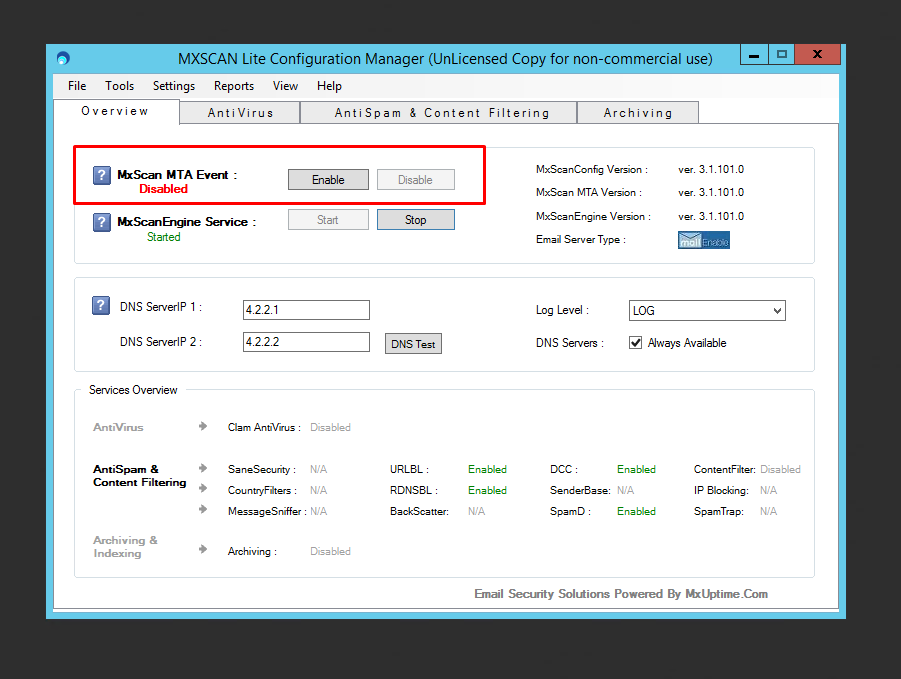
Enable MxScan MTA Event on the next screen to activate the software.
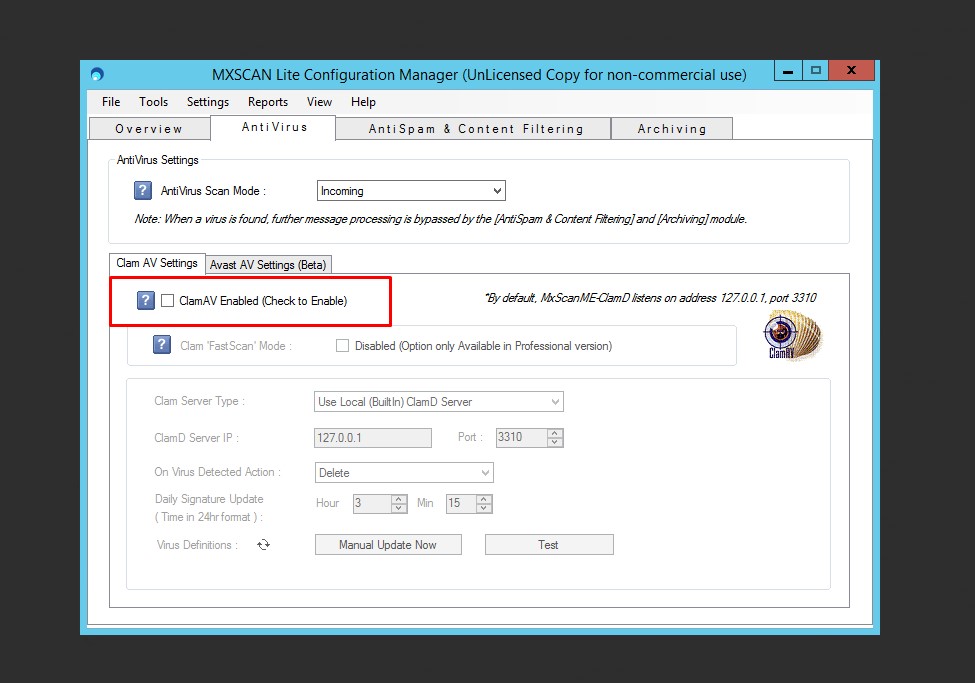
In the Antivirus tab, check Clam AV Enabled. Antivirus Scan Mode lets you select incoming and outgoing messages or only incoming messages. The original example enables antivirus for incoming mail.
In Antispam & Content Filtering, choose the direction to which the antispam rules apply. The example applies them to incoming mail. The tabs beside Mail Settings provide more detailed rules.

In Filter Actions, define actions according to the spam score. The original example adds SPAM LOW to the subject above a score of 6, quarantines messages above 12 and deletes messages above 20. These thresholds can be changed to suit the policy.

Content Filter can block messages based on words in their content. Existing rules in this section can be enabled.

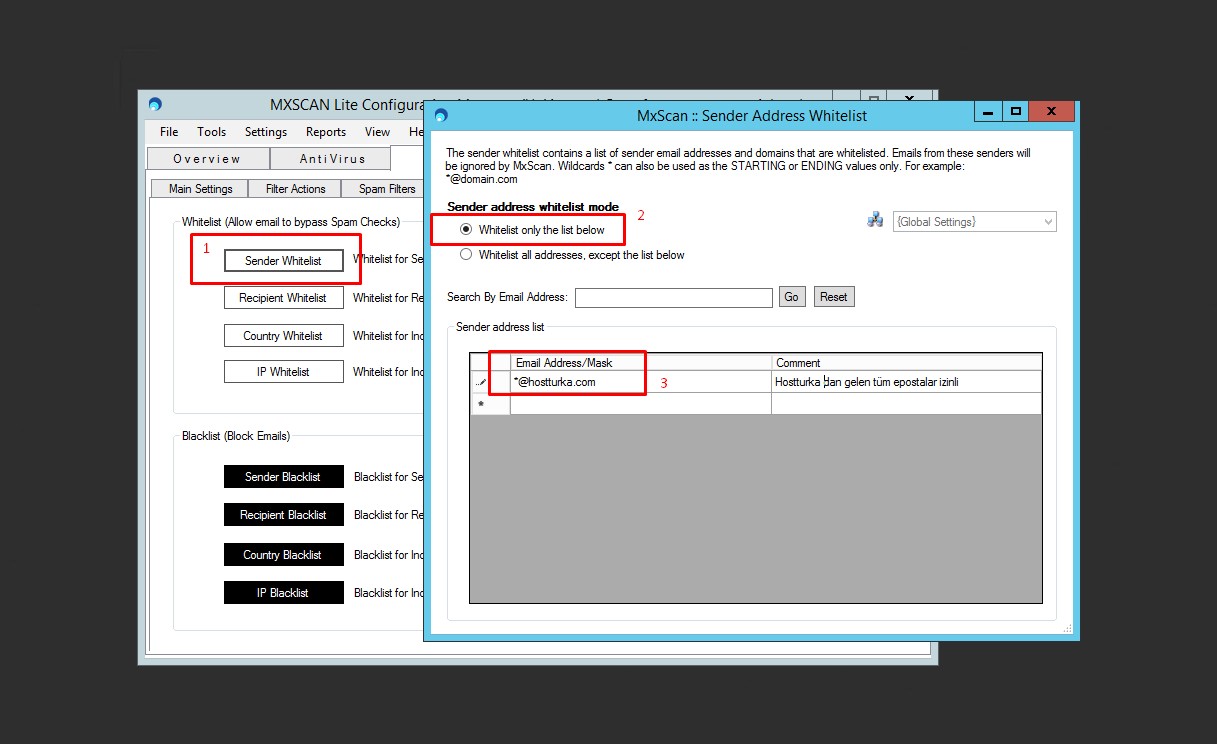
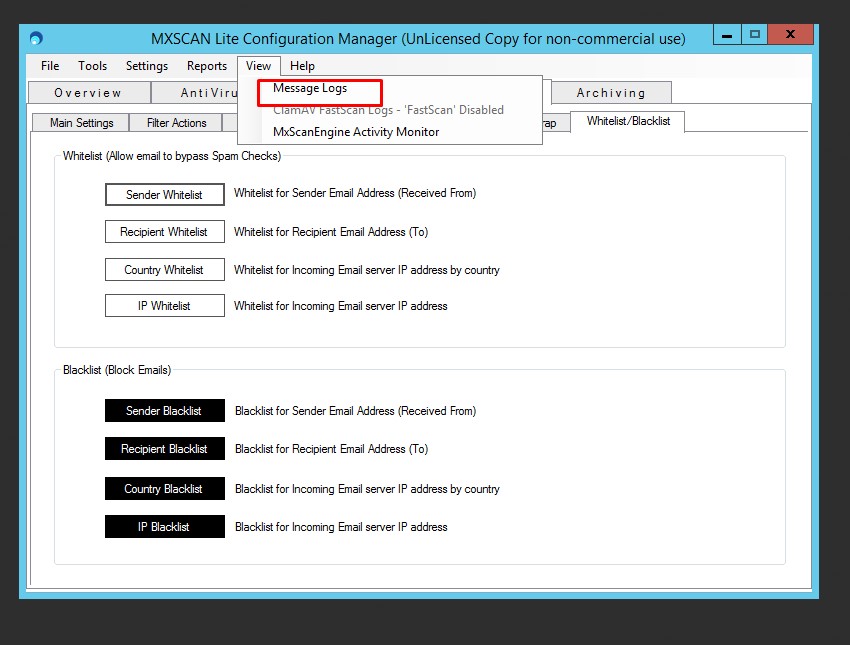
White List / Black List allows trusted senders to bypass spam rules or unwanted senders to be blocked. The original example uses hostturka.com: if spam rules block its password reminders but the rules should otherwise remain unchanged, add the domain to the sender whitelist.

The screenshot below adds *@hostturka.com to the whitelist, covering all email addresses on that domain.
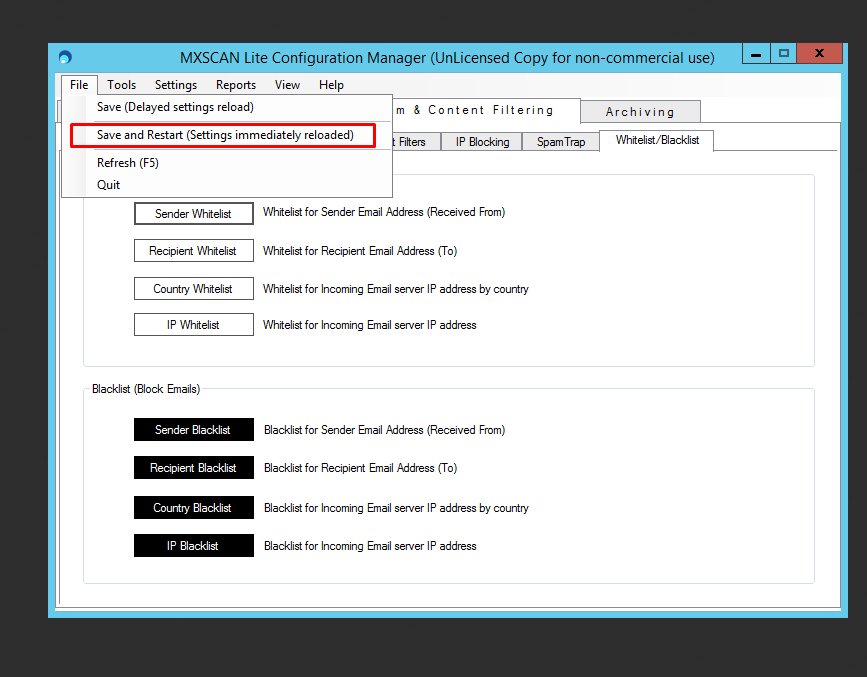
Save the settings using the area highlighted in red in the following screenshot. Unsaved changes can be lost when the application is opened again.
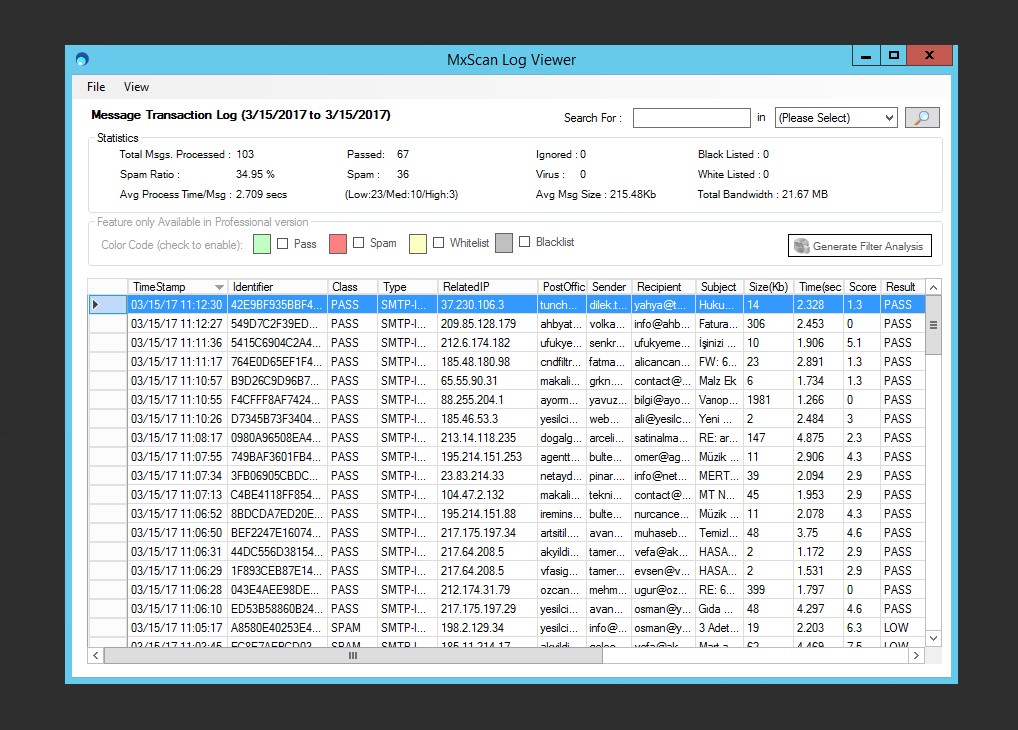
After saving, open Message Log to monitor email traffic.
This article was originally published in Turkish on and has been migrated from our previous website. This English version is a translation of the original article. The content may reflect information from that time.

 Turkey (Türkçe)
 Worldwide (English)