This article was originally published in Turkish on and migrated from our previous website. This English version translates the archived article. Service lists, product features and time estimates may be outdated and are not current guarantees; check current official information before acting.

SpamCop is described in the source as a DNSBL (Domain Name System-based Blackhole List) service used to help prevent unsolicited email and malicious activity, similar in purpose to Barracuda.
The original article describes these differences:
Listing may cause email to be marked as spam or blocked. The source says that an incorrectly listed address may require contacting SpamCop and that listing can expire automatically after spam stops.
SpamCop identifies sources of unwanted email and reports them to service providers. The source also mentions free antispam services.
Open https://www.spamcop.net and enter the IP address in the area marked in the screenshot.
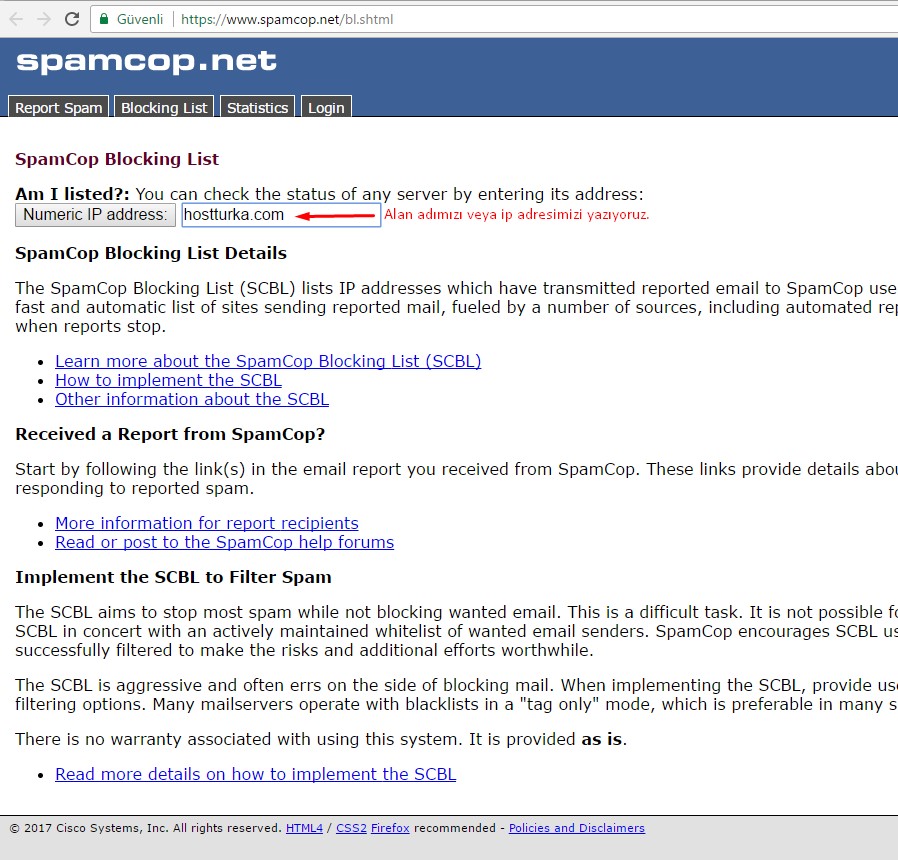
The original article says the next page completes the process for a listed IP. Checking an IP is not itself proof of removal; this description and screenshot are preserved as historical material, not a guaranteed delisting procedure.

 Turkey (Türkçe)
 Worldwide (English)