This article was originally published in Turkish on and migrated from our previous website. This English version translates the archived article. Roles, biographical details, product features and service availability may be outdated; migration does not independently verify their accuracy.
Imagine accidentally closing a browser while working with dozens of open tabs. Many of us have experienced the loss of pages, interrupted research and distraction that follows.
The original article offers two ways to recover:
Press Ctrl + Shift + T to reopen closed tabs. It also describes automatic session restoration in Firefox.
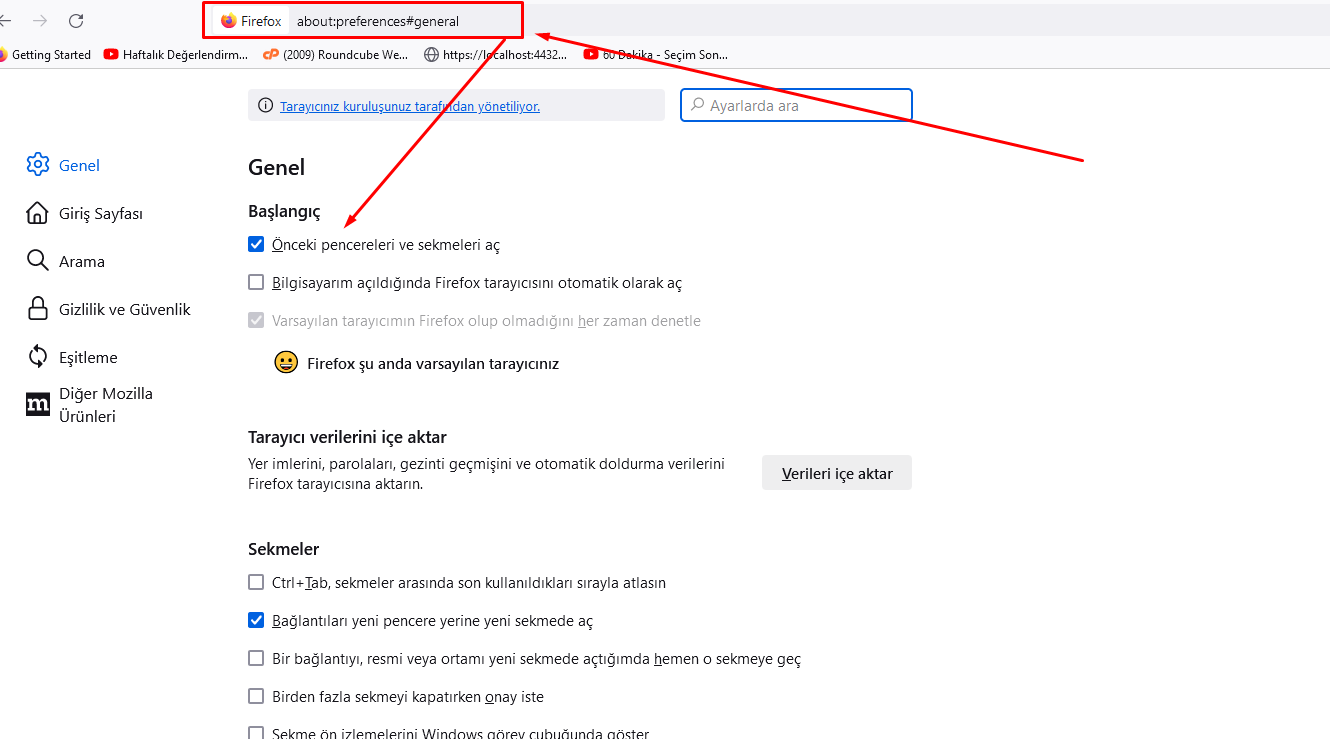
In Firefox, enter about:preferences#general in the address bar and, under Startup, enable the option to open previous windows and tabs. The article says Firefox will then restore the previous session when starting.
The screenshot below illustrates the setting. Interface wording and behavior may have changed since publication.
We hope this helps.

 Turkey (Türkçe)
 Worldwide (English)