The original article explains a password-reset procedure for Windows Server 2008 when the administrator has forgotten the password. It requires the Windows installation media and access through KVM or at the boot/BIOS level; it should only be used on systems you are authorized to administer.
It describes booting from the installation media, selecting the language and keyboard settings, clicking Next, entering repair mode and opening the command prompt.
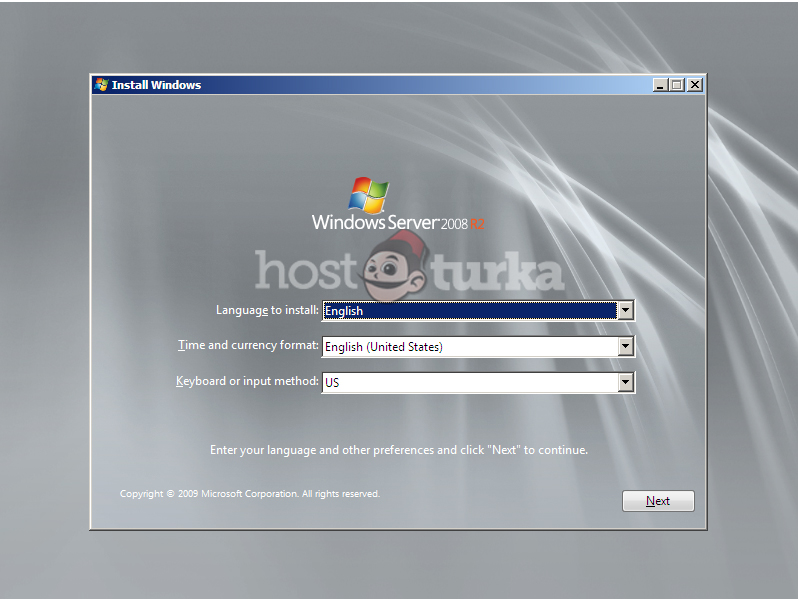


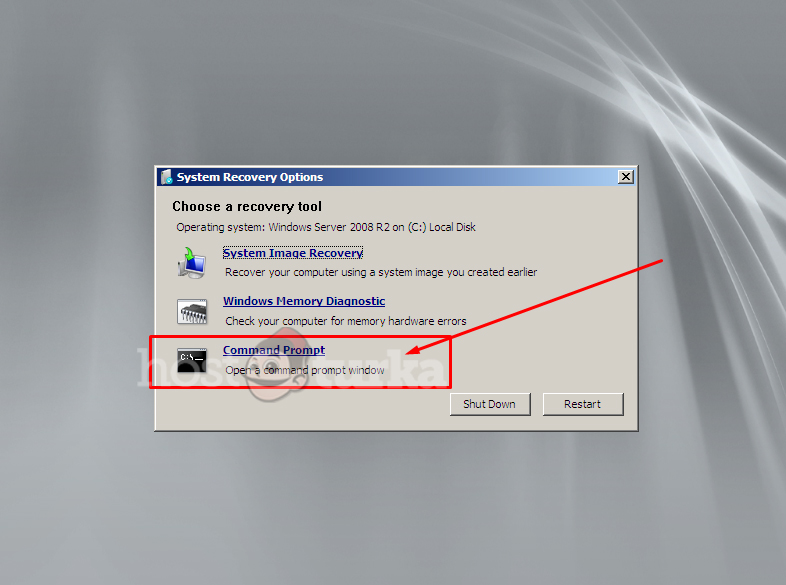
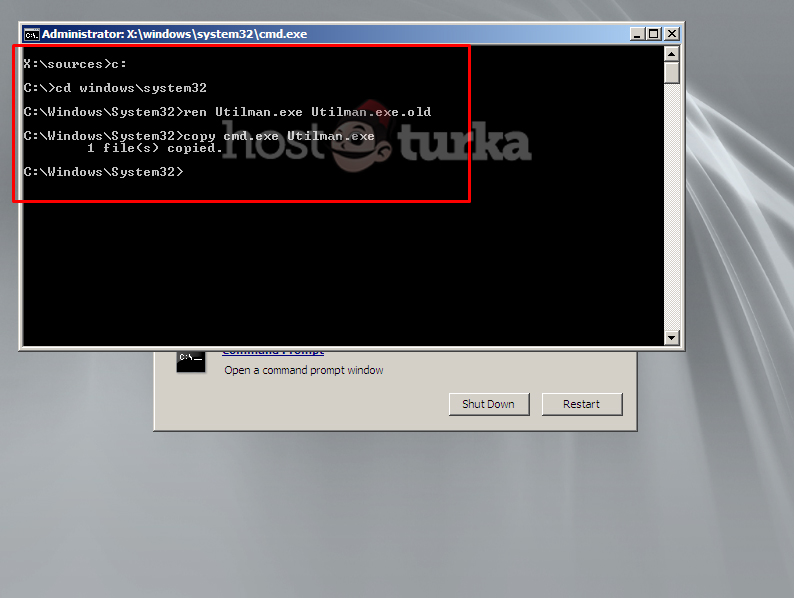

The commands shown in the article are:
c:
cd Windows
cd System32
Move Utilman.exe Utilman.exe.bak
Copy cmd.exe Utilman.exe
The article then describes restarting, pressing Windows + U at the sign-in screen to open the command prompt, and running:
Net user Administrator Yenişifremiz
In the original example, Yenişifremiz is the placeholder for the new password. This preserves an archived procedure and is not verification for current Windows systems.
This article was originally published in Turkish on and has been migrated from our previous website. This English version is a translation of the original article. The content may reflect information from that time.

 Turkey (Türkçe)
 Worldwide (English)