X
X
Worldwide (English) GBP 0

Welcome

Sign in

WordPress Mail SMTP Plugin

HomepageArticlesWordPress Mail SMTP Plugin

Originally published:

Technical review: 22 October 2026

Generating a WordPress message and delivering it are separate stages. A plugin such as WP Mail SMTP helps configure SMTP or provider-based sending. It is incorrect to claim that every hosting provider disables PHP mail.

Collect the service settings

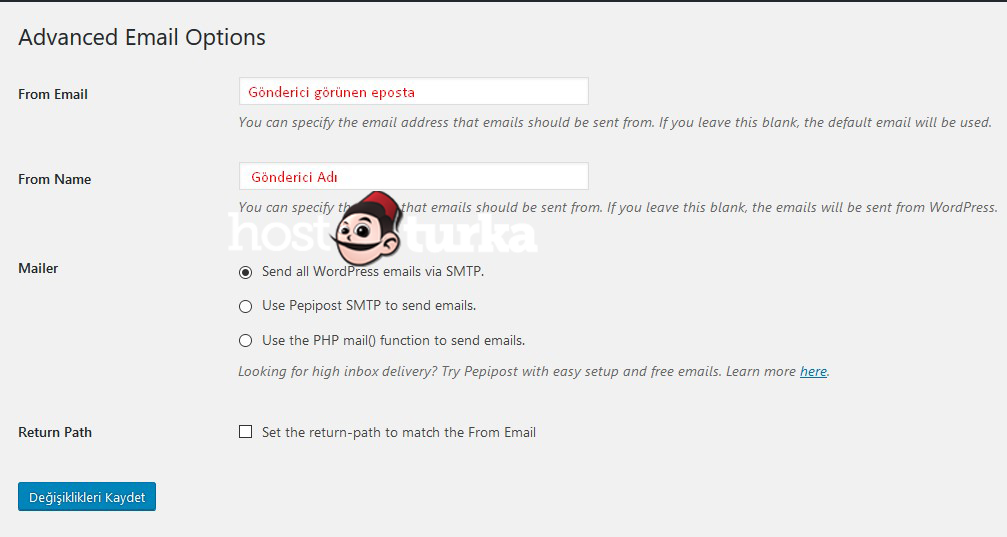
Confirm the sender, hostname, port, encryption and authentication method with your provider. Settings vary. See the official plugin page for supported integrations and features.

Configuration checklist

  1. Back up files and the database; check for competing mail plugins.
  2. Use a permitted sender identity and authentication method.
  3. Retain TLS certificate verification and keep secrets out of screenshots.
  4. Test a message, a real form notification and any order email separately.
  5. Distinguish connection failures from recipient rejections in logs.

Mailbox or outbound service?

A mail server and SMTP relay serve different needs. Confirm external SMTP access on your WordPress hosting account. One successful test does not guarantee acceptance of every campaign or recipient.

ABOUT THE AUTHOR

Computer Programmer | Hostturka

A 2009 Kadir Has University graduate and owner of CND Medya, working in hosting, server administration, networking and web software.

Education, projects and professional background →

Copyright © 2026 All Rights Reserved
Top